 By Colin Foster
Updated November 2026
An upper lower vs push pull legs spreadsheet is less about which split is better and more about how you plan, log, and progress through either one. Upper/lower suits lifters who train four days a week and want simple tracking with frequent exposure to each muscle group. Push/pull/legs suits people who can train five or six days and want each session to stay focused. This comparison walks through both spreadsheet layouts so you can pick the one that matches your schedule and goals.
Quick Comparison of the Two Spreadsheet Setups
Both options track the same core data: exercise, sets, reps, load, and notes. The difference lies in how sessions are grouped and how much weekly structure the sheet imposes. The table below compares the two layouts across the criteria that matter most when you open the file every training day.
| Criterion | Upper/Lower Spreadsheet | Push/Pull/Legs Spreadsheet |
|---|---|---|
| Typical training days per week | 4 | 5–6 |
| Sessions per sheet tab | 2 (Upper A, Upper B, Lower A, Lower B) | 3 (Push, Pull, Legs), often run twice |
| Muscle group frequency | About 2x per week | About 2x per week, with more volume per session |
| Ease of setup | Easier: fewer tabs, fewer exercises to track | Moderate: more exercises and more tabs |
| Progression tracking | Simple to compare the same lift across sessions | Requires keeping track of more lifts per week |
| Best for | Time-limited lifters, beginners to intermediates | Lifters with more recovery capacity and time |
Setup Complexity: Which Sheet Is Easier to Build?
Winner: Upper/Lower spreadsheet.
An upper/lower sheet needs four session blocks. You might label them Upper A, Lower A, Upper B, and Lower B, then list five to seven exercises under each. That gives you roughly 20 to 28 exercise rows to maintain. Column headers can stay consistent across all four blocks: Exercise, Set 1 through Set 4 (weight and reps), Notes.
A push/pull/legs sheet usually has three session types, and many lifters run each one twice per week in a six-day cycle. Laid out fully, that can mean 30 or more exercise rows, plus the need to label which day in the cycle you are on. Build it with a dedicated “Next Session” cell that pulls the correct block, or use separate tabs per session type so your eye goes straight to the right list.
If you are building your first sheet, start with the upper/lower version. Once you find yourself scrolling past rows you no longer use, moving to push/pull/legs will be easier.
Progression Tracking: Which Layout Makes Overload Easier to See?
Winner: Upper/Lower spreadsheet, for most lifters.
Progressive overload depends on comparing the same lift session to session. In an upper/lower sheet, your bench press appears in both Upper A and Upper B, so you have a clear series of data points every four days or so. You can add a column called “Last Session” beside each exercise and see at a glance whether you beat your previous top set.
Push/pull/legs spreadsheets spread each lift across fewer weekly sessions in some cases, especially if you do not run the full cycle twice. That can slow down your feedback loop. The fix is simple: for each main lift, record the best set and calculate an estimated one-rep max using a standard formula, then add a trend column. Doing this on either layout improves your decisions. Still, the upper/lower sheet makes the comparison visible without extra work.
A practical tip: pick two or three anchor lifts per session (squat, bench, row, and so on) and track only those for progression. Log accessory work with a simple “hit reps” check rather than full detail. This keeps either spreadsheet manageable.
Volume Management: Which Sheet Handles Weekly Sets Better?
Winner: Push/pull/legs spreadsheet, for lifters who can recover from higher per-session volume.
Weekly set counts are easier to control with a push/pull/legs sheet because each session has a narrower job. A common approach is 10 to 20 hard sets per muscle group per week, distributed across two sessions. Because push days hit chest, shoulders, and triceps together, you can tally sets for each muscle in a small summary block at the bottom of the sheet.
The upper/lower layout also lets you count weekly sets. The difference is that each upper session covers more muscles, so the sheet needs a summary block that adds up pressing, pulling, and leg volume across both lower days. Include a column for “Muscle Group” beside each exercise and use a SUMIF formula in your spreadsheet program to total sets per muscle each week. This works on either layout, but push/pull/legs makes the totals feel more natural because each tab already matches a movement pattern.
Recovery is the real constraint. If you log more than about 20 hard sets for a single muscle per week and your performance drops, the sheet will show it, but only if you record reps in reserve or a simple effort rating. Add a “RPE” or “Effort 1–10” column to whichever sheet you choose.
Flexibility for Missed Sessions: Which Layout Adapts Better?
Winner: Upper/lower spreadsheet.
Life interrupts training. With an upper/lower sheet, missing a session is easy to absorb: the next block in the sequence is still an upper or a lower, and both muscle groups get hit within a few days. Build the sheet so the next session is determined by the last completed row, not by calendar day.
Push/pull/legs sheets can be more fragile. If you skip a legs day in a six-day rotation, you may end up with a three-day gap before leg volume returns. You can still adapt by using a “Next Session” cell that advances only when you log a workout, which keeps the order intact. Still, the upper/lower format tends to forgive irregular schedules more gracefully.
Customization and Exercise Swapping: Which Sheet Is More Flexible?
Winner: Push/pull/legs spreadsheet, for lifters who want to add specialty work.
Push/pull/legs gives you natural places to add exercises. Need more shoulder work? Add a lateral raise row to the push block. Want extra hamstring focus? The legs block has room. Because each session type targets a movement category, the logic of where new exercises belong is obvious.
Upper/lower sheets handle customization too, but the choices are less clear-cut. Each upper session mixes pushing and pulling, so you need to think about balance when adding work. A simple rule helps: for every horizontal push row added, include one horizontal pull. Keep the same discipline when adding lower-body work so the two lower sessions remain balanced between quad-dominant and hip-dominant patterns.
Which Should You Choose?
- Choose an upper/lower spreadsheet if you train three to four days per week, you are new to tracking, or your schedule shifts often.
- Choose a push/pull/legs spreadsheet if you train five or six days per week, you want clear session focus, and you enjoy building more detailed logs.
- Choose upper/lower if you want the fastest path to seeing progression on the same lifts.
- Choose push/pull/legs if you plan to add a lot of accessory work and want a logical structure for it.
- Choose upper/lower if you value a simple, low-maintenance file you can open in under a minute.
- Choose push/pull/legs if you already run that split and want your records to match it exactly.
If you are still unsure, read through the full splits before building your sheet. These related guides cover the training logic behind each option: Upper/Lower vs Push Pull Legs Reddit: Which Split Should You Choose?, Upper Lower vs Push Pull Legs (2026): Which Is Better for Your Training?, and What's a Good Push Pull Legs Split? 7 Best Programs Compared (2026).
Spreadsheet Tools Worth Considering
Either layout works in any spreadsheet program. Many lifters use Google Sheets or Microsoft Excel because both offer formulas for totals and simple charts. A few dedicated training apps also export data that you can paste into a sheet. If you want a ready-made option, search for a template labeled with your split name and check that it includes a summary tab and a progression column before downloading.
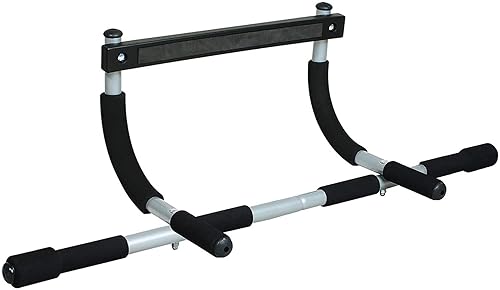
For a printable reference alongside your digital log, a clipboard or notebook works well. Some lifters pair a printed session sheet with a tracking spreadsheet, using the printout for real-time notes and the file for weekly review.
Products listed above are general training accessories and are optional. Your spreadsheet of choice is what drives the tracking.
FAQ
Can I use an upper/lower spreadsheet for a push/pull/legs program?
Yes, with small changes. Rename your tabs to Push, Pull, and Legs, and keep the same columns for sets, reps, load, and notes. The underlying tracking method stays the same, so you only need to update the exercise rows to match your new session list.
How many rows should a training spreadsheet have?
Most lifters do well with 5 to 7 exercises per session, which means 20 to 28 rows for upper/lower and 15 to 21 rows per three-session cycle for push/pull/legs. Keep accessory work to a minimum on the sheet and track it only when it matters for progression.
What is the best column to add for progress tracking?
A “Last Session” column beside each main lift is the most useful addition. It lets you compare your current top set to your previous one without scrolling. Pair it with an estimated one-rep max column if you want a longer-term trend.
How do I track weekly sets per muscle group?
Add a “Muscle Group” column and use a SUMIF or COUNTIF formula to total sets per group each week. Count only hard working sets, not warm-ups. If your totals consistently exceed what you recover from, reduce volume on that muscle.
Should I track rest times or effort levels?
Effort is more useful than rest time for most lifters. A simple 1–10 rating or a reps-in-reserve count helps you spot fatigue and plan deloads. Rest time is useful if you are working on conditioning or a specific tempo goal. Consult a qualified coach or physician before starting a new program if you have any health conditions.
Conclusion
For most lifters, an upper/lower spreadsheet is the simpler, more forgiving choice. It needs fewer rows, makes progression easy to see, and tolerates missed sessions. A push/pull/legs spreadsheet earns its place when you train five or six days a week, want clear session focus, or plan to add a lot of accessory work. Whichever layout you pick, keep the sheet small enough to update in a minute after each session, track only the lifts that drive your goals, and review weekly totals to make sure your volume matches your recovery.
Related reading
- Upper/Lower Split vs Push/Pull/Legs (2026): Which Is Better for Your Training?
- Upper/Lower Split vs Push/Pull Legs Reddit: Which Should You Pick?
- Upper Lower Push Pull Legs Hybrid: A Step-by-Step Guide to Building Your Split
About Colin Foster
Colin Foster is part of our editorial team and reviews and edits our workout programs & splits guides, checking product details against manufacturer specifications and owner feedback.